Finding your way around the Marketplace
In short
The Marketplace shows one listing at a time, full screen. Swipe up for the next listing and down to go back. Listings near you and from sellers you follow come first.
The top bar has the Youflip logo, search, your Marketplace notifications (the bell) and the app language button.
On the right of each listing: the seller’s profile, like, share and repost. Tap the listing once to pause its sound; tap again to play.
The Marketplace is the first page you see when you open Youflip. It shows listings from independent sellers near you and further away, one listing at a time, full screen. The rules for buying, selling and renting are in How to sell an item on the Marketplace.
What it shows
Products: things for sale, such as phones, clothes, furniture, food and building materials.
Services: people and businesses offering work, such as repairs, salons, transport, events and tutoring.
Property: apartments and houses for rent, houses for sale, land, and commercial property from owners and real estate dealers.
Moving through listings
Swipe up to see the next listing, and swipe down to go back to the one before.
The feed favours listings close to you and from sellers you follow. When someone you follow reposts a listing, it shows "Reposted by" with their name.
1. The top bar

| Icon | What it does |
|---|---|
| Youflip logo (the Y) | Youflip's mark; it shows you are on the Marketplace |
| Search | Find listings, sellers and categories by typing what you are looking for |
| Bell | Your Marketplace notifications; a badge shows new ones (Message notifications) |
| App language (A and 文) | Change the language Youflip is shown in (How to change the app language) |
| Three dots | More options |
5. The icons on the right side
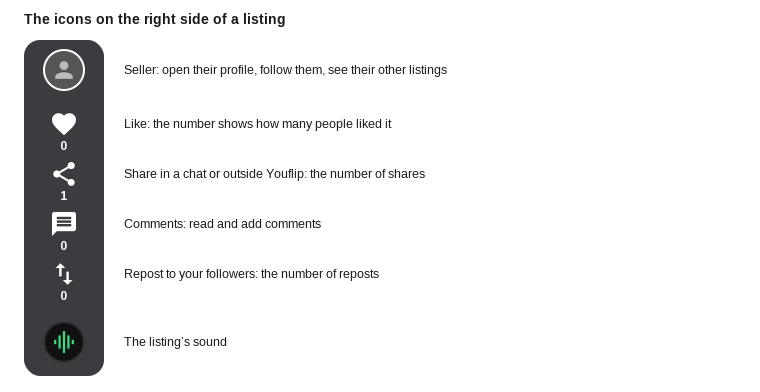
| Icon | What it does |
|---|---|
| Seller's picture | Opens the seller's profile, where you can follow them and see everything else they list |
| Heart | Like the listing; the number shows how many people liked it |
| Share | Send the listing to a chat, or share it outside Youflip; the number shows how many times it was shared |
| Comment | Read and write comments about the listing |
| Arrows (repost) | Repost the listing so your followers see it in their feed |
| Sound disc | The listing's sound (Where do the Youflip library sounds come from?) |
The sound on a listing
Many listings play a sound or voice-over. Tap the listing once to pause the sound. It stays paused, even as you look at other listings, until you tap again to play it. The sound also stops by itself while you swipe to the next listing.
6. The bottom navigation

| Button | What it opens |
|---|---|
| Marketplace | This page (highlighted in cyan when you are here) |
| Chats | Your one-to-one and group chats (How to send voice messages, photos, documents and more) |
| + (the round button) | Create something new, such as a listing |
| Calls | Your call history and new calls (How to make a voice or video call) |
| Status | Your status and your contacts' statuses (How to post a status and how long it stays) |